


Enter the dimensions, weight, and quantity of each item and the calculator works out the total volume and weight against the container's or truck's real capacity, then shows how the cargo fits.
Web App
Know your container space before you book
Enter your cargo dimensions and see instantly how it fits into a container or truck, how much space is used, and how much is left to plan around.
How It Works
From cargo list to loading plan in three steps
-
Enter cargo details
Add dimensions, weight and quantity for boxes, pallets or custom cargo.
-
Choose container or truck
Pick the transport type and the calculation adapts to it instantly.
-
See how it fits
Get used and available space in seconds, before you commit to a booking.
What It Covers
Built for cargo that arrives on pallets and drums
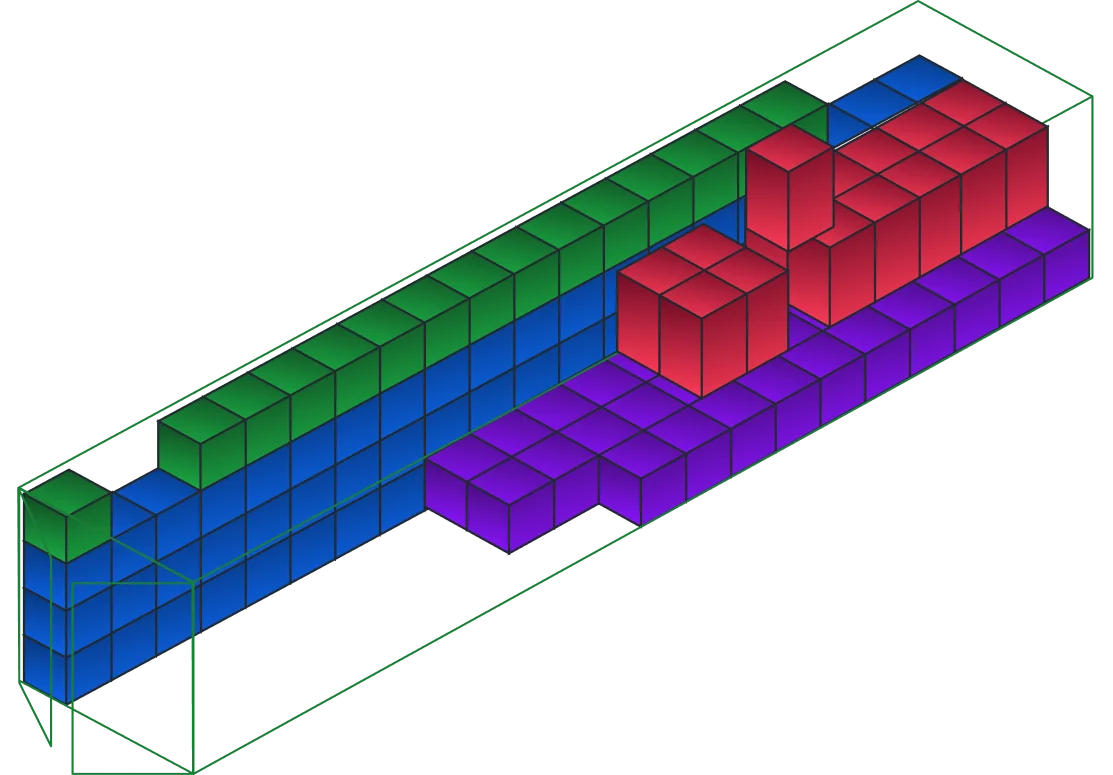
Standard 20ft, 40ft and 40ft high cube containers, plus trucks, with support for the cargo types that resist a simple box calculation.
Why It Helps
Plan the load before it costs you money
-
Less wasted space
See exactly how much room is left instead of guessing and leaving a container half full.
-
No more manual spreadsheets
Replace back-of-the-envelope math with an instant, repeatable calculation.
-
Lower shipping costs
Fewer part-loads and better use of the space you're already paying for.
-
Fewer booking mistakes
Catch an overbooked or underused container before it turns into a costly surprise.
Built For
Whoever plans the load
-
Freight forwarders
Confirm a load fits before quoting or booking a container.
-
Traders & exporters
Check whether a shipment needs FCL or fits comfortably as LCL.
-
Warehouse & ops teams
Plan how mixed cargo gets packed before it reaches the dock.
-
Logistics platforms
Try the calculator here, then bring the same logic into your product through the API.
For Developers
Run the same calculation server-side
The Qubictron Cargo Load Optimizer API does the same packing maths behind your booking platform, CRM or TMS, with no screen to open.
Read about the API
FAQ
Questions about load planning
A 40ft container holds more than double the volume of a 20ft one, roughly 67 m³ against 33 m³. Which one makes sense depends on your cargo volume and weight, which is exactly what the calculator compares for you.
Once your cargo details are entered, the calculator shows used and remaining space right away, as both a percentage and a volume figure, so you can decide whether more cargo fits.
Yes. Switch the transport type to a truck and the same cargo list is recalculated against truck dimensions and weight limits instead of a container's.
Yes. The Cargo Load Optimizer API runs the same packing logic as this page and returns fit and capacity as structured results, ready for a booking platform, CRM or TMS.
Plan your next load
Get access to the calculator yourself, or bring the same data into your own platform.
Try Cargo Load Optimizer
Try the Cargo Load Optimizer and start planning shipments.
Try Cargo Load OptimizerNeed it on your own site?
Pull the same load calculations into your platform with the API.
See the API