Qubictron covers 220+ ocean carriers, including Maersk, MSC, CMA CGM, COSCO and Hapag-Lloyd. The carrier is detected automatically from the container, B/L or booking number, or you can pick it yourself.
Container Tracking · v2
Container Tracking.
Container Tracking.
By Number, B/L or Booking
Track containers across multiple shipping lines with live status updates, vessel movements, and predictive ETA.
Use Qubictron Tracking on our platform, connect it to your own system via API, or launch a ready to use tracking interface on your website with Web Integration.
—
—
ZNTU2100616
Shanghai, CN
→
Vancouver, CA · in ocean transit
Container Tracking for FCL and LCL Shipments
Qubictron Container Tracking is built for freight forwarders, shippers, importers, exporters, retailers, and other businesses managing international cargo.
Track FCL and LCL shipments across multiple shipping lines and access container status, vessel movements, schedules, ETA updates, and shipment history in one place.
Built on 20 Years of Tracking Experience
Qubictron continues the evolution of container tracking technology started by the former SeaRates team and its founder, Sergii Dzhashytov, who introduced the first SeaRates container tracking solution in 2005.
Today, that experience is combined with a new technology architecture, broader logistics data sources, vessel intelligence, and predictive analytics.
The objective is no longer simply to show the last known container status. It is to understand what is happening with the shipment and what is likely to happen next.
What Powers Qubictron Container Tracking
 Multi Carrier Tracking
Track containers across multiple shipping lines without switching between carrier websites.
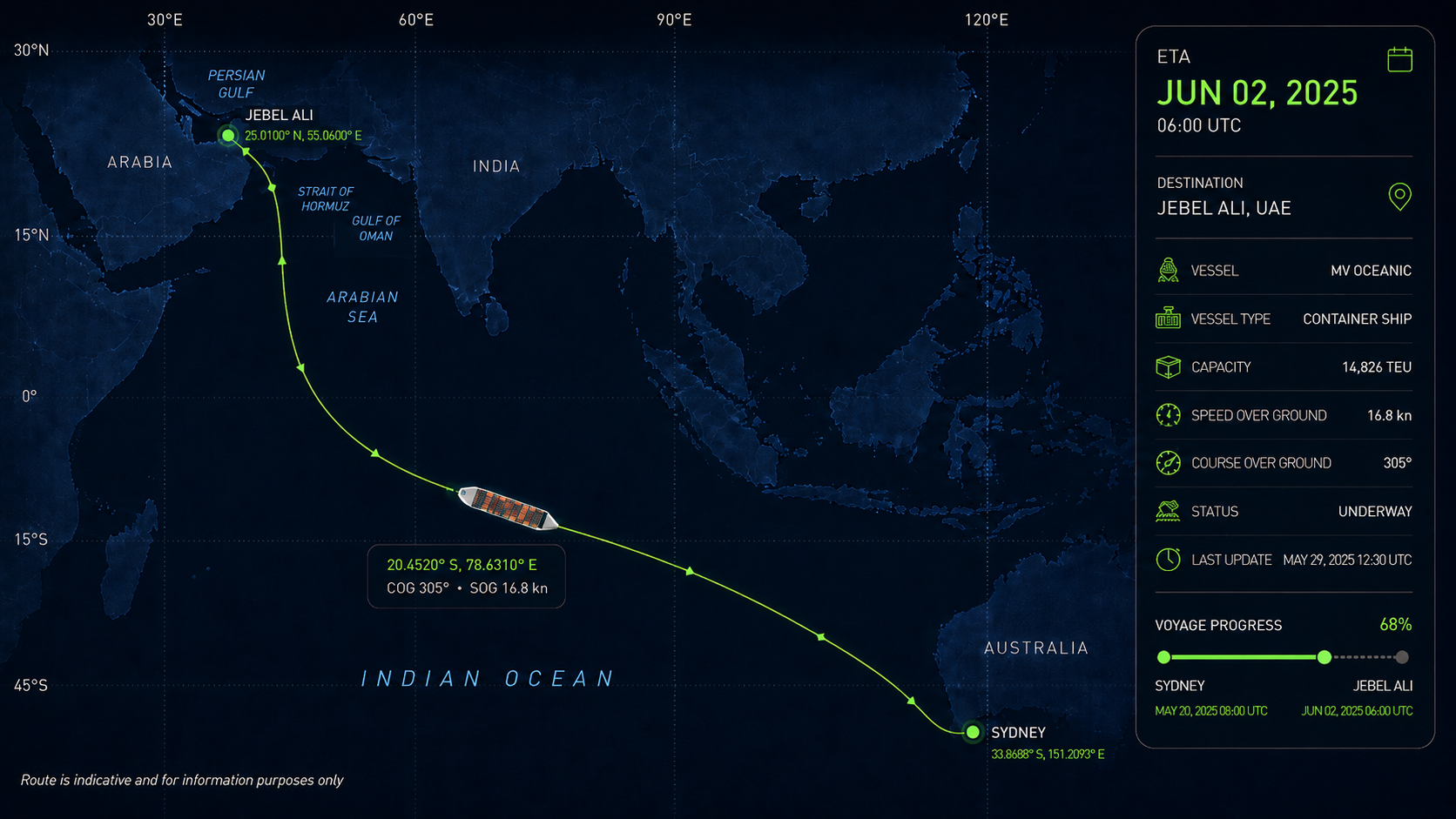
 AIS Vessel Detection
Use vessel movement data to improve visibility while containers are moving by sea and detect changes earlier.
 Vessel Schedules
Compare planned departures, arrivals, transshipments, and routes with actual shipment activity.
 Predictive ETA
Analyze tracking events, vessel movements, schedules, and historical data to provide a more realistic expected arrival time.
 Multiple Data Sources
Combine and compare information from shipping lines, vessels, ports, terminals, schedules, and other logistics sources.
 Historical Analysis
Use accumulated shipment data to compare transit times, route performance, delays, and previous container movements.
More Than Container Tracking
Knowing where a container is only solves part of the problem.
Qubictron helps logistics teams understand whether the vessel is moving as planned, whether the ETA has changed, where transshipment will take place, and whether information from different logistics sources is consistent.
This turns container tracking into a practical shipment visibility and decision making tool.
Demurrage and Storage Management
Tracking continues after the container reaches its destination.
Inside the Qubictron Virtual Office, shipment events can be connected with Demurrage and Storage Management to monitor free days, storage periods, container return deadlines, and potential charges.
This helps businesses see not only where the cargo is, but also when a delay may begin generating additional costs.
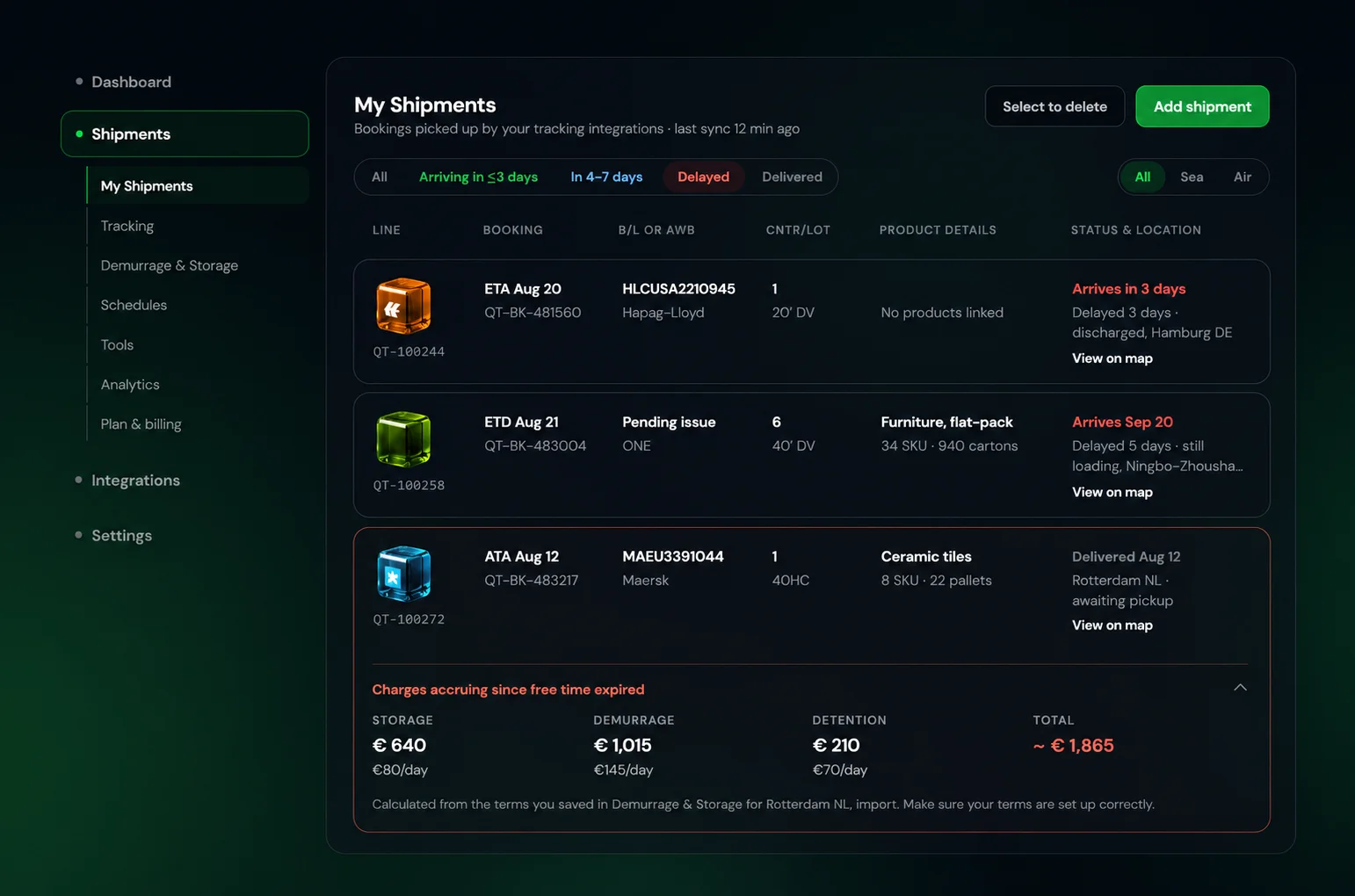
Use Tracking Your Way
Platform
Manage shipments directly through the Qubictron platform.
API
Connect Container Tracking API to your ERP, TMS, customer portal, or logistics software.
Web Integration
Or use Web Integration to add a ready to use container tracking interface directly to your website.
FAQ
Container Tracking FAQ
Yes. Container Tracking works for both FCL and LCL shipments and shows container status, vessel movements, schedules, ETA updates and shipment history in one place.
Qubictron analyzes carrier tracking events, AIS vessel movements, published schedules and historical shipment data, so the expected arrival time reflects how the voyage is actually going and updates as new events come in.
Tracking continues at destination. In the Qubictron Virtual Office, shipment events connect with Demurrage and Storage Management, so you can monitor free days, storage periods, container return deadlines and potential charges.
Yes. You can track many containers at the same time and follow all of them in one place, without checking each carrier's website separately.
Add the ready-to-use Qubictron tracking app to your website with Web Integration. The setup steps are in the tracking integration guide. To bring tracking data into your TMS, ERP or customer portal, connect the Container Tracking API.